Request access
For everyone. Who to ask, and what to tell them.
How to ask
You cannot sign yourself up. Someone who manages the portal for your organisation has to invite you.
- Ask your organisation's portal administrator. This is usually someone in your IT team. They can invite you in a minute from the portal's Administration page.
- If you do not know who that is, ask your IT team or your usual Climb Global Services contact. For your security, CGS checks with your organisation before inviting anyone.
- Wait for the email, then follow Accept your invitation.
What to include
- Your name and organisation.
- The work email address you sign in to Microsoft 365 with. A personal address or a shared mailbox will not work.
- Why you need access, and the role you need (below).
Roles
- Viewer: sees the portal's pages (all but Administration), can raise issues and test a website, and changes nothing else.
- User: as Viewer, and can add, pause and remove your organisation's own websites.
- Administrator: as User, and can invite and remove people and add or cancel maintenance windows.
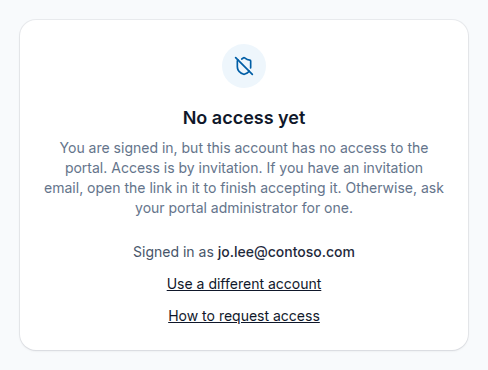
If you see “No access yet”
You signed in, but the account you used has no access to the portal yet. Check the account the screen shows first.
- Wrong account? Select Use a different account and choose the one you were invited with.
- Have an invitation email? Open its link to finish accepting it.
- Neither? Ask your portal administrator whether you have been invited, or whether your access was removed, before they send a new invitation.